This week I am attending NECC -- the National Education Computing Conference -- in San Diego, and I will be taking notes and gathering my ideas in this space. I am sitting in the ISTE-SIGTC (Special Interest Group for Tech. Coord). meeting, "The Role of Technology Leadership in a Changing Educational Landscape"
The Panel consists of David Warlick, Will Richardson, Tony Vincent, Thor Prichard, and John Hendron. Thor and John are new names for me -- I am not yet familiar with their work.
Tony shared his use of a "common" del.icio.us account that all teachers can subscribe to, and post links of interest, and then subscribe using an RSS catcher.
The discussion is revolving around the next "wave" of technology for education. Tony thinks it's the availability of online "applications" such as Google spreadsheet and Writely. Students and teachers who are limited by the "locked down" computers that have been placed in their hands, are finding online resources to do their work. Will says to check out http://techcrunch.com to learn about the apps that are coming out each week.
Tony shared a site called "secondlife" -- http://secondlife.com/ -- where you can create a character and "live" in a virtual world.
Thor says, We all love technology... why? He believes it can make our lives easier. It's about change... it's fundamentally less painful to do it the new way, instead of doing it the old way.
Will says that "everyday you have a professional development opportunity when you work with kids." There are a lot of opportunities to learn from our kids.
How do we convince parents that blogging and podcasting is safe? At Willowdale, Tony hosts a parent night to educate parents on the information. David says with the technology available, there can be parent nights every night.
Questions/commnets from the audience...
If teachers are expected to use these sites on their own time, when is their down time? Are we expecting too much of teachers? David mentioned that we are losing teachers because of the current "story" about what it is to be a teacher. Is the expectation that teachers spend their free time grading papers and working with these tools? He says we need to start talking about "Telling a Brand New Story" (BTW... his session is at 2 pm).
A quick summation from the panel...
David: told a story about a session in which he was live blogging during the presentation, and had several comments and conversations that were being carried on, one person was from Tasmania. Think of the possibilities for global communication in our classrooms.
Will: we are in a very disruptive moment now. Our classrooms will need to look and act differently. If we don't, we will become more irrelevant. It's going to get ugly, before it gets better. And, even with all that is available, there is still a digital divide.
John: We should not be engaging in the web 2.0 technologies because they exist. Think about the "sound" ways in which we know are ways to educate students. Then, look at how these tools can enhance or support these.
Part 2...
Thor: we are moving to an activity now to work with some of the online tools. He is taking us through del.icio.us. Bookmarks can be imported and tagged with popular terms. He demonstrated completing the registration process and how to add tags to websites that you bookmark. SIGTC is the tag that we can all use for websites we feel will be helpful to tech coordinators.
There is also a SIGTC "knowledge wiki" for notes, such as these from this morning's info:
http://sigtc.ciservers.net/wiki/index.php/SIGTC_Breakfast_Summary
Onto more learning ...
Technorati Tags: NECC
Wednesday, July 05, 2006


Tuesday, June 27, 2006
The Power of Ideas: Stories from Students
I have had the great honor this week of participating in the Discovery Education Network's First Annual Summer Institute held in downtown Chicago. We have participated in awesome presentations by Hall Davidson and Will Richardson. We have learned how teachers and students are blogging, podcasting and telling digital stories, and are sharing and exchanging our ideas for integrating these technologies in the classroom.
One such example of exemplary student work comes from the Mabry school in Georgia. Principal Dr. Tim Tyson runs an annual "movie" festival, and the projects are outstanding. I recommend that you take time to watch this year's award winning "presentation."
http://mabryonline.org/archives/2006/04/2006_film_festi.html
I was most inspired by the student interviews. Students shared their impressions about the process of creating their projects, such as the planning and productions, and the questions they still had as a result of telling their stories. The student learning is clearly evident. This learning will not be easily forgotten. Thank you Dr. Tyson for sharing these student perspectives!
Another project in the works at Mabry is the Global Learning Collaborative, advertised as: "An international collaboration to nurture ambitious, creative, independent problem-solvers who will make the world a better place." Visit http://mabryonline.org/ - and begin thinking about how you can use these ideas with your students -- let's all work to make the world a better place!
One such example of exemplary student work comes from the Mabry school in Georgia. Principal Dr. Tim Tyson runs an annual "movie" festival, and the projects are outstanding. I recommend that you take time to watch this year's award winning "presentation."
http://mabryonline.org/archives/2006/04/2006_film_festi.html
I was most inspired by the student interviews. Students shared their impressions about the process of creating their projects, such as the planning and productions, and the questions they still had as a result of telling their stories. The student learning is clearly evident. This learning will not be easily forgotten. Thank you Dr. Tyson for sharing these student perspectives!
Another project in the works at Mabry is the Global Learning Collaborative, advertised as: "An international collaboration to nurture ambitious, creative, independent problem-solvers who will make the world a better place." Visit http://mabryonline.org/ - and begin thinking about how you can use these ideas with your students -- let's all work to make the world a better place!
Thursday, June 22, 2006
Summer time.... and the living is easy ... or maybe not?
It's summer time in the Staff Development Lab, and we've already hosted several "re-imaging events" in preparation for the coming year. I truly appreciate teachers taking time out of their summer vacations to spend a few hours updating their software. One benefit of updating over the summer, is that teachers get time to explore changes and improvements in preparation for the fall. And, often the question is asked, "Will there ever be a year that we won't have to do this?"
Technology changes rapidly. As new features are written to make software "do more," and improvements are made to hardware, it seems that this is not likely to happen. The computers purchased five years ago, can still compute... but are limited to computing with 5-year-old technology tools. An example would be the recent decision from Microsoft to no longer support the development of Internet Explorer for the Macintosh operating system. If you have used IE to visit websites recently, you may have noticed some unexpected results when trying to retrieve information from some sites, since websites seem to be getting more "sophisticated" and require features available in only newer web browsers.
Overall, most update sessions have gone very smoothly, while others have been a bit "bumpy" as extra time is needed for those who haven't yet backed up their data, or are challenged by hardware glitches. Summer is often more laid back and a perhaps a tad more flexible for most teachers coming in, so having the time to work through the challenges and glitches now, rather than in the fall, certainly helps.
All in all, my favorite part of the process is hearing the stories... what vacations are planned or were taken, family "happenings" or events that have taken place (weddings, births, graduations, engagements, etc.), as well as technology triumphs or challenges that occurred during the year. I also love the time that is spent connecting... "Where/what do you teach?" "How long have you been at Stevenson?" etc.
So, for the most part, the living is easy in the lab these days, and when not particularly easy, I appreciate the opportunity to spend time catching up.
Technology changes rapidly. As new features are written to make software "do more," and improvements are made to hardware, it seems that this is not likely to happen. The computers purchased five years ago, can still compute... but are limited to computing with 5-year-old technology tools. An example would be the recent decision from Microsoft to no longer support the development of Internet Explorer for the Macintosh operating system. If you have used IE to visit websites recently, you may have noticed some unexpected results when trying to retrieve information from some sites, since websites seem to be getting more "sophisticated" and require features available in only newer web browsers.
Overall, most update sessions have gone very smoothly, while others have been a bit "bumpy" as extra time is needed for those who haven't yet backed up their data, or are challenged by hardware glitches. Summer is often more laid back and a perhaps a tad more flexible for most teachers coming in, so having the time to work through the challenges and glitches now, rather than in the fall, certainly helps.
All in all, my favorite part of the process is hearing the stories... what vacations are planned or were taken, family "happenings" or events that have taken place (weddings, births, graduations, engagements, etc.), as well as technology triumphs or challenges that occurred during the year. I also love the time that is spent connecting... "Where/what do you teach?" "How long have you been at Stevenson?" etc.
So, for the most part, the living is easy in the lab these days, and when not particularly easy, I appreciate the opportunity to spend time catching up.
Wednesday, May 31, 2006
What is your global IQ?
Just over a year ago Thomas L. Friedman wrote "The World is Flat: A Brief History of the Twenty-first Century". Friedman talks about how the Indians and Chinese are "racing us to the top" in innovation, and there is nothing that guarantees Americans or Western Europeans will continue leading the way in technology and business. He encourages us as a nation "to work harder, get smarter, attract more young women and men to science and engineering and build the broadband infrastructure, portable pensions and health care that will help every American become more employable in an age in which no one can guarantee you lifetime employment."
According to a recent geographic literacy study by the National Geographic Society and Roper Public Affairs, it would appear that we need to work on more than science and engineering skills. This survey of more than 500 18- to 24-year-olds across the U.S. showed that many young Americans have a limited understanding of our world.
How much do you know about the world? Can you name the world's most spoken primary language? The largest consumer of oil? The most heavily fortified border on the planet? The current population of the U.S.? Could you locate the Cambrian Mountains on a map? Twelve-year-old Bonny Jain, from Moline, IL, could, and his knowledge made him the winner of the recent 2006 National Geographic Bee, that aired on Channel 11 (our local Public Television station) last week. Alex Trebek (of Jeopardy fame) was the moderator of this national competition of 55 fifth to eighth grade participants. While it was inspiring to witness the knowledge of these young folks, it would appear they are the "exception" rather than the rule.
Recently National Geographic and leaders from the business, nonprofit and education communities unveiled a public-engagement campaign designed to give U.S. students tools to become more informed global citizens. The goal of the five-year, multimedia campaign — My Wonderful World — is to improve the geographic literacy of young people ages 8-17 by motivating parents and educators to expand geographic offerings in school, at home and in their communities.
The Web site at the heart of the campaign, MyWonderfulWorld.org, provides resources for parents to help kids be more geo-savvy. It includes suggestions for simple, outdoor family activities and ways that parents can work to get more geography into the classroom, links to geography games and online adventures for kids and teens, classroom materials for educators, and ways for young and old to test their global IQs.
Try this 20-question quiz from the folks at National Geographic.
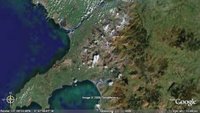
(Oh, and the Cambrian Mountains? Those are the ones that extend across much of Wales, from the Irish Sea to the Bristol Channel.) If you haven't yet discovered (the free) Google Earth http://earth.google.com/, download a copy today and "fly" on over to Wales to have a look.
According to a recent geographic literacy study by the National Geographic Society and Roper Public Affairs, it would appear that we need to work on more than science and engineering skills. This survey of more than 500 18- to 24-year-olds across the U.S. showed that many young Americans have a limited understanding of our world.
- While outsourcing of jobs to India has been a major U.S. business story, almost half those surveyed (47 percent) cannot find the Indian subcontinent on a map of Asia.
- Only 37% of young Americans can find Iraq on a map—though U.S. troops have been there since 2003.
- 6 in 10 young Americans don't speak a foreign language fluently.
- 20% of young Americans think Sudan is in Asia. (It's the largest country in Africa.)
- 48% of young Americans believe the majority population in India is Muslim. (It's Hindu—by a landslide.)
- Half of young Americans can't find New York on a map.
- More than half significantly over-estimate the population of the United States.
- Two-thirds don’t know that the catastrophic earthquake of October 2005 that killed 70,000 people struck in Pakistan.
How much do you know about the world? Can you name the world's most spoken primary language? The largest consumer of oil? The most heavily fortified border on the planet? The current population of the U.S.? Could you locate the Cambrian Mountains on a map? Twelve-year-old Bonny Jain, from Moline, IL, could, and his knowledge made him the winner of the recent 2006 National Geographic Bee, that aired on Channel 11 (our local Public Television station) last week. Alex Trebek (of Jeopardy fame) was the moderator of this national competition of 55 fifth to eighth grade participants. While it was inspiring to witness the knowledge of these young folks, it would appear they are the "exception" rather than the rule.
Recently National Geographic and leaders from the business, nonprofit and education communities unveiled a public-engagement campaign designed to give U.S. students tools to become more informed global citizens. The goal of the five-year, multimedia campaign — My Wonderful World — is to improve the geographic literacy of young people ages 8-17 by motivating parents and educators to expand geographic offerings in school, at home and in their communities.
The Web site at the heart of the campaign, MyWonderfulWorld.org, provides resources for parents to help kids be more geo-savvy. It includes suggestions for simple, outdoor family activities and ways that parents can work to get more geography into the classroom, links to geography games and online adventures for kids and teens, classroom materials for educators, and ways for young and old to test their global IQs.
Try this 20-question quiz from the folks at National Geographic.
(Oh, and the Cambrian Mountains? Those are the ones that extend across much of Wales, from the Irish Sea to the Bristol Channel.) If you haven't yet discovered (the free) Google Earth http://earth.google.com/, download a copy today and "fly" on over to Wales to have a look.

Tuesday, May 23, 2006
Gone Phishing? and SPAM
Planning your Summer Break recreation? From the Federal Trade Commission (FTC) comes this informative "e-card" on phishing -- although, if you haven't yet heard this term, here's a clue -- it doesn't involve water. (Available en español too!)
Visit: http://www.ftc.gov/bcp/conline/ecards/phishing/index.html
Also from the FTC are some very good tips on combatting SPAM (unsolicited and annoying email).
From the "FTC Consumer Feature," Putting a Lid on Deceptive Spam, published July 2002 and available at:
http://www.ftc.gov/bcp/conline/features/spam.pdf
The FTC’s advice to consumers who want to reduce the amount of spam they get is:
** For a "disposable" email address, check out "Spamino"! From their website: "Spamino is like a firewall for email. Spamino receives email for you and forwards only qualified email to an email account you choose. Illegitimate email is held at Spamino for a few weeks and deleted if it remains unclaimed. When you sign up with Spamino, you get one fixed personal email address, such as "jimmy@spamino.com". Give this email address to anybody, and you will be protected from spam, because every new sender to this address has to first pass a simple security challenge. Spammers are highly automated and are not able to pass this challenge. Spamino is a free service!
Visit: http://www.ftc.gov/bcp/conline/ecards/phishing/index.html
Also from the FTC are some very good tips on combatting SPAM (unsolicited and annoying email).
From the "FTC Consumer Feature," Putting a Lid on Deceptive Spam, published July 2002 and available at:
http://www.ftc.gov/bcp/conline/features/spam.pdf
The FTC’s advice to consumers who want to reduce the amount of spam they get is:
- Avoid displaying your email address in public spaces, including newsgroup postings or chat rooms, on websites, or in an online service’s membership directory.
- Check a website’s privacy policy before submitting your email address. Make sure the website doesn’t plan to sell your address. If possible, “opt out” of any such plans.
- Read and understand website forms before you transmit personal information. If possible, select the “opt-out” choice if the website plans to share your information.
- Create two email addresses – one for personal messages and the other for public use, such as in newsgroups or chat rooms. Or, consider a disposable email address service; it creates a separate email address that forwards your email to your permanent address. If the disposable address begins to receive spam, you can shut if off without affecting the permanent address. **(see Spamino information below!)
- Create a unique email address. Spammers often use “dictionary attacks” to sort through possible name combinations at large Internet Service Providers (ISPs) or email services to find valid addresses. So a common name, like “jdoe,” may get more spam than a unique name, like “jd51x02oe.”
- Use an email filter. Some email accounts provide a tool to filter out potential spam or channel it to a bulk email folder. You may want to ask whether this option is available when choosing an ISP.
- Report the spam to the ISP – yours and the sender’s. Often the email address is “abuse@[your ISP’s name].com” or postmaster@[your ISP’s name].com. The ISP may be able to stop further spam.
- Report the problem to the FTC. Send the actual spam item to spam@uce.gov. Be sure to include the full email header so that your complaint can be followed up. If your complaint has to do with “remove me” or “unsubscribe” offers not working, complete and submit the FTC’s complaint form at www.ftc.gov.
- For more on spam and how to avoid it, visit www.ftc.gov/spam.
** For a "disposable" email address, check out "Spamino"! From their website: "Spamino is like a firewall for email. Spamino receives email for you and forwards only qualified email to an email account you choose. Illegitimate email is held at Spamino for a few weeks and deleted if it remains unclaimed. When you sign up with Spamino, you get one fixed personal email address, such as "jimmy@spamino.com". Give this email address to anybody, and you will be protected from spam, because every new sender to this address has to first pass a simple security challenge. Spammers are highly automated and are not able to pass this challenge. Spamino is a free service!
Tuesday, May 16, 2006
21st Century Censorship? Your Tax Dollar$ at Work...
Hopping on the bandwagon...
Last week, Representative Fitzpatrick (R-PA) introduced: "H.R. 5319: To amend the Communications Act of 1934 to require recipients of universal
service support for schools and libraries to protect minors from commer-
cial social networking websites and chat rooms." (See the Library of Congress website)
This legislation proposes that anyone under 18 be prohibited from using school or library computers to access Web sites that create public "Web pages or profiles" and also offer a discussion board, chat room, or e-mail service.
While it seems that the target is websites like MySpace or Facebook, if passed, this could also prevent students from accessing blogging websites such as Blogger, LiveJournal and Xanga. At Stevenson, I know of several teachers and students that actively discuss educational topics outside of the classroom in this forum.
For instance, recently our AP Government teachers broadcasted an AP exam review "event" on Stevenson's local radio station. Students also "tuned into" the teachers' blog site, CitizenU.org, to post questions and discussions during the live radio show.
Can social networks be dangerous for students?
What are our responsibilities as educators?
There are several websites interested in your feedback, such as Technology & Learning magazine's TechLearning.com "Question of the Week" at:
http://news.techlearning.com/cgi-bin4/DM/y/ewXU0FQcUI0E2V0B7Kk0Ed
Also Mobilize.org (Mobilizing America's Youth) has launched an "SOS" campaign: "Save Our Social Networks" -- see details at: http://www.mobilize.org/SOS
Last week, Representative Fitzpatrick (R-PA) introduced: "H.R. 5319: To amend the Communications Act of 1934 to require recipients of universal
service support for schools and libraries to protect minors from commer-
cial social networking websites and chat rooms." (See the Library of Congress website)
This legislation proposes that anyone under 18 be prohibited from using school or library computers to access Web sites that create public "Web pages or profiles" and also offer a discussion board, chat room, or e-mail service.
While it seems that the target is websites like MySpace or Facebook, if passed, this could also prevent students from accessing blogging websites such as Blogger, LiveJournal and Xanga. At Stevenson, I know of several teachers and students that actively discuss educational topics outside of the classroom in this forum.
For instance, recently our AP Government teachers broadcasted an AP exam review "event" on Stevenson's local radio station. Students also "tuned into" the teachers' blog site, CitizenU.org, to post questions and discussions during the live radio show.
Can social networks be dangerous for students?
What are our responsibilities as educators?
There are several websites interested in your feedback, such as Technology & Learning magazine's TechLearning.com "Question of the Week" at:
http://news.techlearning.com/cgi-bin4/DM/y/ewXU0FQcUI0E2V0B7Kk0Ed
Also Mobilize.org (Mobilizing America's Youth) has launched an "SOS" campaign: "Save Our Social Networks" -- see details at: http://www.mobilize.org/SOS
Tuesday, May 09, 2006
Imagination ^3

In June of 2002 I was delighted to learn that Figment, Disney's playful purple dragon, would be returning to EPCOT to once again demonstrate the power of imagination. The revamped "Journey to the Imagination" attraction also saw the return of "One Little Spark," an uplifting song written by legendary Disney composers Richard M. and Robert B. Sherman for the attraction’s original opening in March 1983.
Ok, enough reminiscing ... fast-forward to present-day Web 2.0 collaborative tools, and check out General Electric's ImaginationCubed.com website! Not only can you write and draw on this free online electronic whiteboard, you can invite your friends to collaborate with you either by email or Chat (AIM), and then save it, print it or email the finished piece. Then when you return to the board, you can watch it redraw before your very eyes!
Come and stretch your imagination with me...
Tuesday, May 02, 2006
Create Your Own Motivational Posters!
With "Motivator," one of "fd's Flickr toys" (from FlagrantDisregard.com) you "have the power to turn a simple photograph into an inspirational message that will burn forever in the hearts and minds of dozens." You can use any digital image, add a motivational word and some proverbial wisdom, and click to create your own printable poster. Of course, fd is willing to sell you the full poster size print for a mere $12.99 as well.

Fellow educator John Blake posted these ideas for using Motivator to help students with literary terms, http://theedublog.blogspot.com/2006/04/friday-symposiums-at-nwa.html
Just look beyond the adlinks....

Fellow educator John Blake posted these ideas for using Motivator to help students with literary terms, http://theedublog.blogspot.com/2006/04/friday-symposiums-at-nwa.html
Just look beyond the adlinks....
Tuesday, April 25, 2006
Copyright -- Fair Use vs. Creative Commons
At last week's PowerRanger meeting we reviewed "copyright." In the USA, original work (also referred to as intellectual property) created since March 1, 1989 is assumed to be copyrighted, whether or not it has a notice attached.
Copyright infringement can occur by using or reproducing someone's creative work without their permission. However, section 107 of copyright law provides guidelines for the "fair use" of intellectual property "for purposes such as criticism, comment, news reporting, teaching… or research." Teachers and students need to be aware of these guidelines, and of the "four factors" used to determine the "educational" fair use of intellectual property.
We discussed two scenarios and debated whether or not the teacher or student in our "examples" was in violation of copyright infringement. My disclaimer in these discussions continues to be that, "I am not an attorney." I can only share my understanding of copyright infringement, and let you know that lawsuits are determined on a case-by-case basis.
I also shared information about the "Creative Commons," a nonprofit organization founded in 2001 to help "people dedicate their creative works to the public domain -- or retain their copyright while licensing them as free for certain uses, on certain conditions.... Creative Commons' first project, in December 2002, was the release of a set of copyright licenses free for public use... this will enable people to ... find, for example, photographs that are free to use provided that the original photographer is credited, or songs that may be copied, distributed, or sampled with no restrictions whatsoever."
This organization is gaining momentum, as you will notice the "Creative Commons" badge displayed on a number of websites, including this blog. Students and teachers also have the ability to search the internet using Google and Yahoo, to locate digital resources tagged with a Creative Commons license. What a great way to promote responsible "digital" citizens!
For more information, visit the http://creativecommons.org website, or the creativecommons.org search page at: http://creativecommons.org/find/
Copyright infringement can occur by using or reproducing someone's creative work without their permission. However, section 107 of copyright law provides guidelines for the "fair use" of intellectual property "for purposes such as criticism, comment, news reporting, teaching… or research." Teachers and students need to be aware of these guidelines, and of the "four factors" used to determine the "educational" fair use of intellectual property.
We discussed two scenarios and debated whether or not the teacher or student in our "examples" was in violation of copyright infringement. My disclaimer in these discussions continues to be that, "I am not an attorney." I can only share my understanding of copyright infringement, and let you know that lawsuits are determined on a case-by-case basis.
I also shared information about the "Creative Commons," a nonprofit organization founded in 2001 to help "people dedicate their creative works to the public domain -- or retain their copyright while licensing them as free for certain uses, on certain conditions.... Creative Commons' first project, in December 2002, was the release of a set of copyright licenses free for public use... this will enable people to ... find, for example, photographs that are free to use provided that the original photographer is credited, or songs that may be copied, distributed, or sampled with no restrictions whatsoever."
This organization is gaining momentum, as you will notice the "Creative Commons" badge displayed on a number of websites, including this blog. Students and teachers also have the ability to search the internet using Google and Yahoo, to locate digital resources tagged with a Creative Commons license. What a great way to promote responsible "digital" citizens!
For more information, visit the http://creativecommons.org website, or the creativecommons.org search page at: http://creativecommons.org/find/
Tuesday, April 18, 2006
Your Tax Dollar$ at Work!
Since our federal taxes were due yesterday, I thought it might be fitting to share this FREE website, made possible by Uncle Sam:
What is FREE?
FREE = Federal Resources for Educational Excellence
More than 30 Federal agencies formed a working group in 1997 to make hundreds of Federally supported teaching and learning resources easier to find. The result of that work is the FREE web site.
Visit: http://www.ed.gov/free
You will find resources for a variety of subjects: Arts, Educational technology, Foreign languages, Health, Language Arts, Mathematics, Physical Education, Science, Social studies, and Vocational education. Subscribe to the RSS feed for "New Resources," or browse the resources by Subject, Archives, or use the Site Search tool.
Check out the "Special Collections" page with topics such as "Financial Literacy: Learn the basics about getting the most out of your money—saving, investing, banking, buying a home, balancing your checkbook, and more. Find out about mutual funds and the Federal Reserve. Try an online retirement calculator. Test your 'financial smarts.'"
There is also a page organized just for students.
What is FREE?
FREE = Federal Resources for Educational Excellence
More than 30 Federal agencies formed a working group in 1997 to make hundreds of Federally supported teaching and learning resources easier to find. The result of that work is the FREE web site.
Visit: http://www.ed.gov/free
You will find resources for a variety of subjects: Arts, Educational technology, Foreign languages, Health, Language Arts, Mathematics, Physical Education, Science, Social studies, and Vocational education. Subscribe to the RSS feed for "New Resources," or browse the resources by Subject, Archives, or use the Site Search tool.
Check out the "Special Collections" page with topics such as "Financial Literacy: Learn the basics about getting the most out of your money—saving, investing, banking, buying a home, balancing your checkbook, and more. Find out about mutual funds and the Federal Reserve. Try an online retirement calculator. Test your 'financial smarts.'"
There is also a page organized just for students.
Tuesday, April 11, 2006
Ajax -- stronger than dirt?
If you grew up in the '60s, you may remember having back yards filled with clothing hung out to dry on lines stretched between poles, porches, fences or buildings. Remember, too, the Ajax white knight, who rode through neighborhoods "zapping" laundry to magically transform dingy whites into sparkling whites? The peer pressure among homemakers was intense. After all, everyone in the neighborhood could critique your laundering prowess. These are the images that come to mind when I hear the word "Ajax."
Fast forward to the 21st Century!! Although the laundry detergent and household cleanser from my youth are still available, in this day and age, Ajax has a totally new meaning. It is an acronym for "Asynchronous JavaScript And XML" which, according to "Wikipedia," is a web development technique for creating interactive web applications, such as ajaxWrite: http://ajaxwrite.com.
Free to use, no sign up required, and nothing to install, ajaxWrite is a "streamlined word processor, comparable to Microsoft Word with ... functions you use most often, right where you'd expect them to be. You can import and export documents in all popular formats, including documents with graphics. The save function lets you save your work to a drive on your computer. Also, since you run ajaxWrite from your web browser, it is platform independent and can therefore be used with any operating system." Note: ajaxWrite only works in Firefox.
What intrigued me the most was the statement regarding the "ability to import documents in all popular formats." I have been looking long and hard for an easy way to convert Microsoft Works files, for editing on the Macintosh. Although there is a "Works to Word" converter for Windows, no such utility exists for the Mac. Word on the Mac can open Works files, but only as text, and so formatting and structure is not preserved.
Well, I was excited to test some sample student papers I've been holding onto. Unfortunately, when I tried to upload a document, my browser froze and I had to force quit. So, it seems there are a few bugs yet to be ironed out.
I am hopeful that perhaps in the near future, ajaxWrite will provide the solution for working with Microsoft Works files that students have brought to school to print out, or to finish up, but neglected to "Save as ..." Microsoft Word before they left home. Perhaps ajaxWrite will be our "knight in shining armor" very soon!
Fast forward to the 21st Century!! Although the laundry detergent and household cleanser from my youth are still available, in this day and age, Ajax has a totally new meaning. It is an acronym for "Asynchronous JavaScript And XML" which, according to "Wikipedia," is a web development technique for creating interactive web applications, such as ajaxWrite: http://ajaxwrite.com.
Free to use, no sign up required, and nothing to install, ajaxWrite is a "streamlined word processor, comparable to Microsoft Word with ... functions you use most often, right where you'd expect them to be. You can import and export documents in all popular formats, including documents with graphics. The save function lets you save your work to a drive on your computer. Also, since you run ajaxWrite from your web browser, it is platform independent and can therefore be used with any operating system." Note: ajaxWrite only works in Firefox.
What intrigued me the most was the statement regarding the "ability to import documents in all popular formats." I have been looking long and hard for an easy way to convert Microsoft Works files, for editing on the Macintosh. Although there is a "Works to Word" converter for Windows, no such utility exists for the Mac. Word on the Mac can open Works files, but only as text, and so formatting and structure is not preserved.
Well, I was excited to test some sample student papers I've been holding onto. Unfortunately, when I tried to upload a document, my browser froze and I had to force quit. So, it seems there are a few bugs yet to be ironed out.
I am hopeful that perhaps in the near future, ajaxWrite will provide the solution for working with Microsoft Works files that students have brought to school to print out, or to finish up, but neglected to "Save as ..." Microsoft Word before they left home. Perhaps ajaxWrite will be our "knight in shining armor" very soon!
Tuesday, April 04, 2006
Teaching and Learning through video
With the popularity of "videos-to-go" (ala iPod), educators have the potential to grab students' attention beyond the classroom. Of course, competing with flashy music videos may be challenging, educational videos are certainly worth exploring! Our subscription to UnitedStreaming provides an excellent foundation for extending learning beyond the classroom. And, many of the videos have editing "rights," allowing subscribers to edit the content, such as providing custom narration (why not have the students rewrite these). If you don't have a login yet, visit my Patriot public folder for access information.
And, for further exploration, check out Google Video. Advertised as "the world's first open online video marketplace, where you can search for, watch and even buy an ever-growing collection of TV shows, movies, music videos, documentaries, personal productions and more." Search for your favorite topic and watch brief previews on the search results page."Clicking on a thumbnail image will take you to a playback page, where you can watch the preview or, for free content, the video itself. In addition to viewing free content, you can also purchase or rent premium content at the Google Video store using your Google Account."
Thanks to Google Video and the National Archives, visit NARA on Google Video for links to old NASA footage, United newsreels, and Department of the Interior films.
And, for further exploration, check out Google Video. Advertised as "the world's first open online video marketplace, where you can search for, watch and even buy an ever-growing collection of TV shows, movies, music videos, documentaries, personal productions and more." Search for your favorite topic and watch brief previews on the search results page."Clicking on a thumbnail image will take you to a playback page, where you can watch the preview or, for free content, the video itself. In addition to viewing free content, you can also purchase or rent premium content at the Google Video store using your Google Account."
Thanks to Google Video and the National Archives, visit NARA on Google Video for links to old NASA footage, United newsreels, and Department of the Interior films.
Tuesday, March 28, 2006
Spring Break at E^2 -- Tune up those minds!
Well it's Spring Break at Stevenson, and hopefully teachers and students are being energized for the end of the year learning. I recently read that many exciting and memorable projects often take place at this time in the school year. Right now, the push is for testing... so, here's a resource that appeared in the Six Pack two years ago, and unlike many web resources, has survived the test of time, and remains a valuable learning tool.
Quiddler Student Worksheet
-----------------------------------------
Looking for a simple way to introduce brain boosters and critical thinking into your everyday activities? Try this daily Quiddler worksheet to get your students thinking about words in a whole new light. Visit: http://www.setgame.com/puzzle/quiddler_work_sheet.htm or http://www.setgame.com/quiddler (either print it out or "play" online).
Quiddler Student Worksheet
-----------------------------------------
Looking for a simple way to introduce brain boosters and critical thinking into your everyday activities? Try this daily Quiddler worksheet to get your students thinking about words in a whole new light. Visit: http://www.setgame.com/puzzle/quiddler_work_sheet.htm or http://www.setgame.com/quiddler (either print it out or "play" online).
Tuesday, March 21, 2006
Revisting an old favorite: HPR*TEC
HPR*TEC stands for High Plains Regional Technology in Education Consortium.
http://www.hprtec.org/
While I am hooked into learning about emerging technologies, I sometimes forget about resources that have survived beyond the commercialization of the web, and the "dot.bomb" age and still provide access to wonderful (and still free) resources for education.
Some of the HPR*TEC resources include solutions such as ...
4Teachers:
4Teachers.org works to help you integrate technology into your classroom by with tools and resources such as RubiStar, QuizStar, TrackStar, NoteStar, Project Poster, and more! This site helps teachers locate and create ready-to-use Web lessons, quizzes, rubrics and classroom calendars. There are also tools for student use. Discover valuable professional development resources addressing issues such as equity, ELL, technology planning, and at-risk or special-needs students.
http://www.4teachers.org
and...
Casa Notes:
Designed to allow teachers to quickly make, and customize, typical notes that are sent home to parents or given to the students. This is done by using templates and allowing the teachers to customize some of the content, choose a color scheme and add a graphic. The notes can be printed in English or in Spanish.
http://casanotes.4teachers.org/
View the complete list at: http://www.hprtec.org/solutions/
http://www.hprtec.org/
While I am hooked into learning about emerging technologies, I sometimes forget about resources that have survived beyond the commercialization of the web, and the "dot.bomb" age and still provide access to wonderful (and still free) resources for education.
Some of the HPR*TEC resources include solutions such as ...
4Teachers:
4Teachers.org works to help you integrate technology into your classroom by with tools and resources such as RubiStar, QuizStar, TrackStar, NoteStar, Project Poster, and more! This site helps teachers locate and create ready-to-use Web lessons, quizzes, rubrics and classroom calendars. There are also tools for student use. Discover valuable professional development resources addressing issues such as equity, ELL, technology planning, and at-risk or special-needs students.
http://www.4teachers.org
and...
Casa Notes:
Designed to allow teachers to quickly make, and customize, typical notes that are sent home to parents or given to the students. This is done by using templates and allowing the teachers to customize some of the content, choose a color scheme and add a graphic. The notes can be printed in English or in Spanish.
http://casanotes.4teachers.org/
View the complete list at: http://www.hprtec.org/solutions/
Tuesday, March 14, 2006
Listen to some Poetry !!
I have recently discovered the Poetry Archive (http://www.poetryarchive.org) -- the largest online collection of recording of poets reading their own work. You can listen to writers such Langston Hughes, Rudyard Kipling, Alfred Tennyson, William Butler Yeats, plus dozens of contemporary English-language poets. There’s a special area for children’s poetry, plus resources for teachers. Oh, and it's free!!
Tuesday, March 07, 2006
IL-TCE Presentation -- Online!
Last Thursday and Friday (3/2 & 3/3/2006) I presented two sessions at the Illinois Technology Conference for Educators in St. Charles, IL. This year, more than 1700 attended (and that was just the Thursday count)! My session on Thursday was titled, "Social Technologies for the Classroom?" in which I shared a number of web resources that can be used for collaborating between teachers and students.
Please feel free to check out my "online handout" which includes an audio file of the presentation, so you can listen and follow along by clicking the webpage links with me.
We are truly living in an "information age" -- more than ever before, teachers and students have access to an abundance of resources that make it easy to contribute to the "education conversation" as producers and publishers of knowledge!!
Please feel free to check out my "online handout" which includes an audio file of the presentation, so you can listen and follow along by clicking the webpage links with me.
We are truly living in an "information age" -- more than ever before, teachers and students have access to an abundance of resources that make it easy to contribute to the "education conversation" as producers and publishers of knowledge!!
Tuesday, February 28, 2006
M-m-m-m-m-m del.icio.us!!
Here's something to whet your appetite! del.icio.us is a free online "Social bookmarking" site. Perhaps some of you may have heard of other online bookmarking services such as Backflip or Furl. What makes del.icio.us especially yummy? Anyone can browse del.icio.us and see what others find interesting.
del.icio.us will:
* Keep links to your favorite articles, blogs, music, restaurant reviews, and more on del.icio.us and access them from any computer on the web.
* Share favorites with friends, family, and colleagues.
* Discover new things. Everything on del.icio.us is someone's favorite - they've already done the work of finding it. Explore and enjoy.
From the website:
Joshua Schachter created del.icio.us in 2003 as a hobby and an informal way to tag and share Web pages between friends. From that point on, del.icio.us rapidly grew into the social bookmarking service it is today, and in 2005 officially became a company - del.icio.us, Inc.
In December of 2005, Yahoo! acquired del.icio.us and pledged to provide the company with the resources, support, and room it needs to continue growing the service and community.
Visit: http://del.icio.us/ to sign up. I have added some of my del.icio.us links along the bottom left corner of this blog page, or visit directly at: http://del.icio.us/cchausis
del.icio.us will:
* Keep links to your favorite articles, blogs, music, restaurant reviews, and more on del.icio.us and access them from any computer on the web.
* Share favorites with friends, family, and colleagues.
* Discover new things. Everything on del.icio.us is someone's favorite - they've already done the work of finding it. Explore and enjoy.
From the website:
Joshua Schachter created del.icio.us in 2003 as a hobby and an informal way to tag and share Web pages between friends. From that point on, del.icio.us rapidly grew into the social bookmarking service it is today, and in 2005 officially became a company - del.icio.us, Inc.
In December of 2005, Yahoo! acquired del.icio.us and pledged to provide the company with the resources, support, and room it needs to continue growing the service and community.
Visit: http://del.icio.us/ to sign up. I have added some of my del.icio.us links along the bottom left corner of this blog page, or visit directly at: http://del.icio.us/cchausis
Tuesday, February 21, 2006
New! Google Scholar - on the shoulders of giants...
Here is a new tool that we can send our students (and ourselves to) - Google Scholar!
From the website: What is Google Scholar?
"Google Scholar provides a simple way to broadly search for scholarly literature. From one place, you can search across many disciplines and sources: peer-reviewed papers, theses, books, abstracts and articles, from academic publishers, professional societies, preprint repositories, universities and other scholarly organizations. Google Scholar helps you identify the most relevant research across the world of scholarly research. ... It's our acknowledgement that much of scholarly research involves building on what others have already discovered. This invitation is taken from Sir Isaac Newton's famous quote, 'If I have seen further, it is by standing on the shoulders of giants.'"
For optimum results, visit: http://scholar.google.com and be sure to click the link to "Advanced Scholar Search" to fine-tune your criteria!!
From the website: What is Google Scholar?
"Google Scholar provides a simple way to broadly search for scholarly literature. From one place, you can search across many disciplines and sources: peer-reviewed papers, theses, books, abstracts and articles, from academic publishers, professional societies, preprint repositories, universities and other scholarly organizations. Google Scholar helps you identify the most relevant research across the world of scholarly research. ... It's our acknowledgement that much of scholarly research involves building on what others have already discovered. This invitation is taken from Sir Isaac Newton's famous quote, 'If I have seen further, it is by standing on the shoulders of giants.'"
For optimum results, visit: http://scholar.google.com and be sure to click the link to "Advanced Scholar Search" to fine-tune your criteria!!
Tuesday, February 14, 2006
Collaborating with a Wiki?
One of the reasons that this "blog" exists is because "Blogger.com" freely provides space on the web for me to publish my thoughts, ideas and inspirations. Blogs are a wonderful part of the "Web 2.0" -- social technology!
Blogs can....
1. give you and/or your students a "voice" in global conversations
2. be tracked or "subscribed" to using RSS technology (RSS = Really Simple Syndication). (look for my RSS icon on the left)
Your thoughts and ideas can be "viewed at will" using a subscription manager (an aggregator) such as Bloglines.com which can be used to view all of your favorite blogs on one page. Imagine students publishing their thoughts and ideas, which you then "subscribe to" and view all of their entries in one "organized" space. (Click the Bloglines icon on the left to add this blog to your subscriptions!)
Another feature of a blog is that, often, your subscribers or visitors are able to provide feedback by leaving a comment about what you have written. So, a blog is much more than a webpage -- it becomes a tool for "conversation."
Hmmm.... let's think about ways to extend this conversation. Suppose your visitors could go beyond commenting on the thoughts in your blog, and re-write what you have written! Enter the world of wikis!
A wiki could be thought of as a virtual sandbox on the web. I draw in the sand, and you come along and add to my creation, enhancing my work with your talents! You can experiment or launch a wiki page using PBwiki. Their tagline is, “PBwiki makes creating a wiki as easy as making a peanut butter sandwich”.
Visit PBwiki.com to set up a PBwiki -- it's free and takes only 10 seconds.
Go forth and play in the sand!
Blogs can....
1. give you and/or your students a "voice" in global conversations
2. be tracked or "subscribed" to using RSS technology (RSS = Really Simple Syndication). (look for my RSS icon on the left)
Your thoughts and ideas can be "viewed at will" using a subscription manager (an aggregator) such as Bloglines.com which can be used to view all of your favorite blogs on one page. Imagine students publishing their thoughts and ideas, which you then "subscribe to" and view all of their entries in one "organized" space. (Click the Bloglines icon on the left to add this blog to your subscriptions!)
Another feature of a blog is that, often, your subscribers or visitors are able to provide feedback by leaving a comment about what you have written. So, a blog is much more than a webpage -- it becomes a tool for "conversation."
Hmmm.... let's think about ways to extend this conversation. Suppose your visitors could go beyond commenting on the thoughts in your blog, and re-write what you have written! Enter the world of wikis!
A wiki could be thought of as a virtual sandbox on the web. I draw in the sand, and you come along and add to my creation, enhancing my work with your talents! You can experiment or launch a wiki page using PBwiki. Their tagline is, “PBwiki makes creating a wiki as easy as making a peanut butter sandwich”.
Visit PBwiki.com to set up a PBwiki -- it's free and takes only 10 seconds.
Go forth and play in the sand!
Tuesday, February 07, 2006
PowerPoint as a Countdown Timer?
Think about using PowerPoint as a "countdown timer" for tests, or discussion timers, speech timers, and more. Add some free music or clock sounds to make it more interesting.
1. Create a series of slides with text containing: "5 minutes" - "4 minutes" - "3 minutes" - "2 minutes" - "1 minute" --- and onto the 10 second increments.
2. Set the "timing" in the side transition menu accordingly.
But wait, why recreate the wheel? I'll just bet there are some already out on the web....
Try this: From the Google search page, click the "Advanced search" options. Enter "Timer" in the Find results "all of the words" field, then from the "File Format" options, drop down to select "Microsoft PowerPoint (.ppt).
After you have downloaded the "gems" of others, why not consider posting your favorite PowerPoint files on the web to share?
1. Create a series of slides with text containing: "5 minutes" - "4 minutes" - "3 minutes" - "2 minutes" - "1 minute" --- and onto the 10 second increments.
2. Set the "timing" in the side transition menu accordingly.
But wait, why recreate the wheel? I'll just bet there are some already out on the web....
Try this: From the Google search page, click the "Advanced search" options. Enter "Timer" in the Find results "all of the words" field, then from the "File Format" options, drop down to select "Microsoft PowerPoint (.ppt).
After you have downloaded the "gems" of others, why not consider posting your favorite PowerPoint files on the web to share?
Subscribe to:
Posts (Atom)